
Key Takeaways
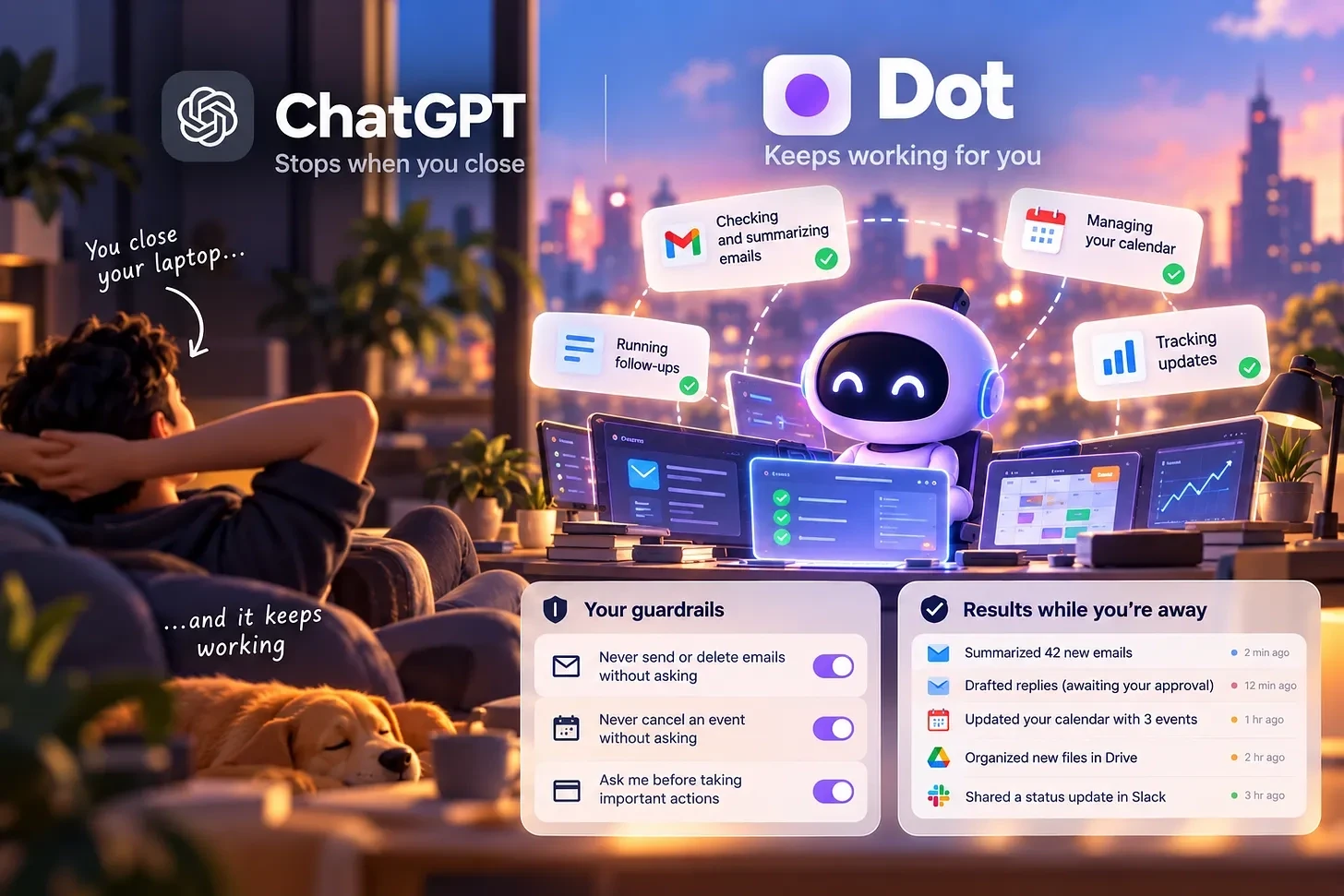
Dots turns AI into a persistent assistant that keeps working on a dedicated cloud computer after you close your laptop.
It connects with ChatGPT, Slack, Teams, phone calls, and thousands of apps while maintaining context.
Custom rules let you control which actions Dots can perform independently and which require your approval.
On September 29, 2026, OpenAI turned on something new called dots, AI agents that keep working after you close your laptop, running on one dedicated computer tied to your account, reachable by phone call, and able to connect to more than 4,000 apps.
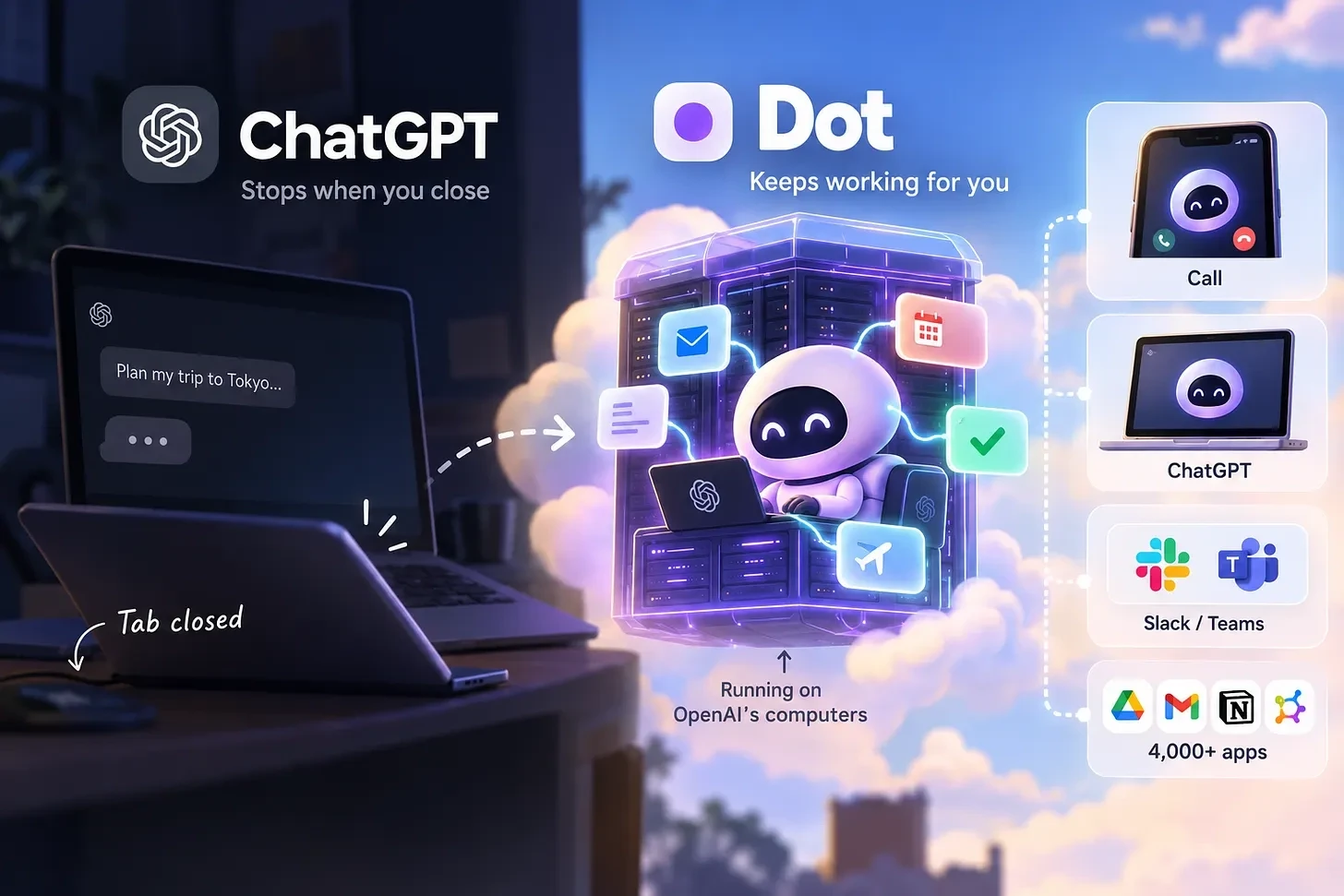
A dot isn’t a chatbot that stores memory. It’s a separate computer, running in OpenAI’s data centers, that keeps going whether or not you’re looking at it, powered by GPT-6 Astra, OpenAI’s newest and most capable model.
A normal ChatGPT conversation stops the moment you close the tab. A dot keeps a computer running in the background instead, checking on tasks and acting on instructions you gave it earlier, without you having to ask again.
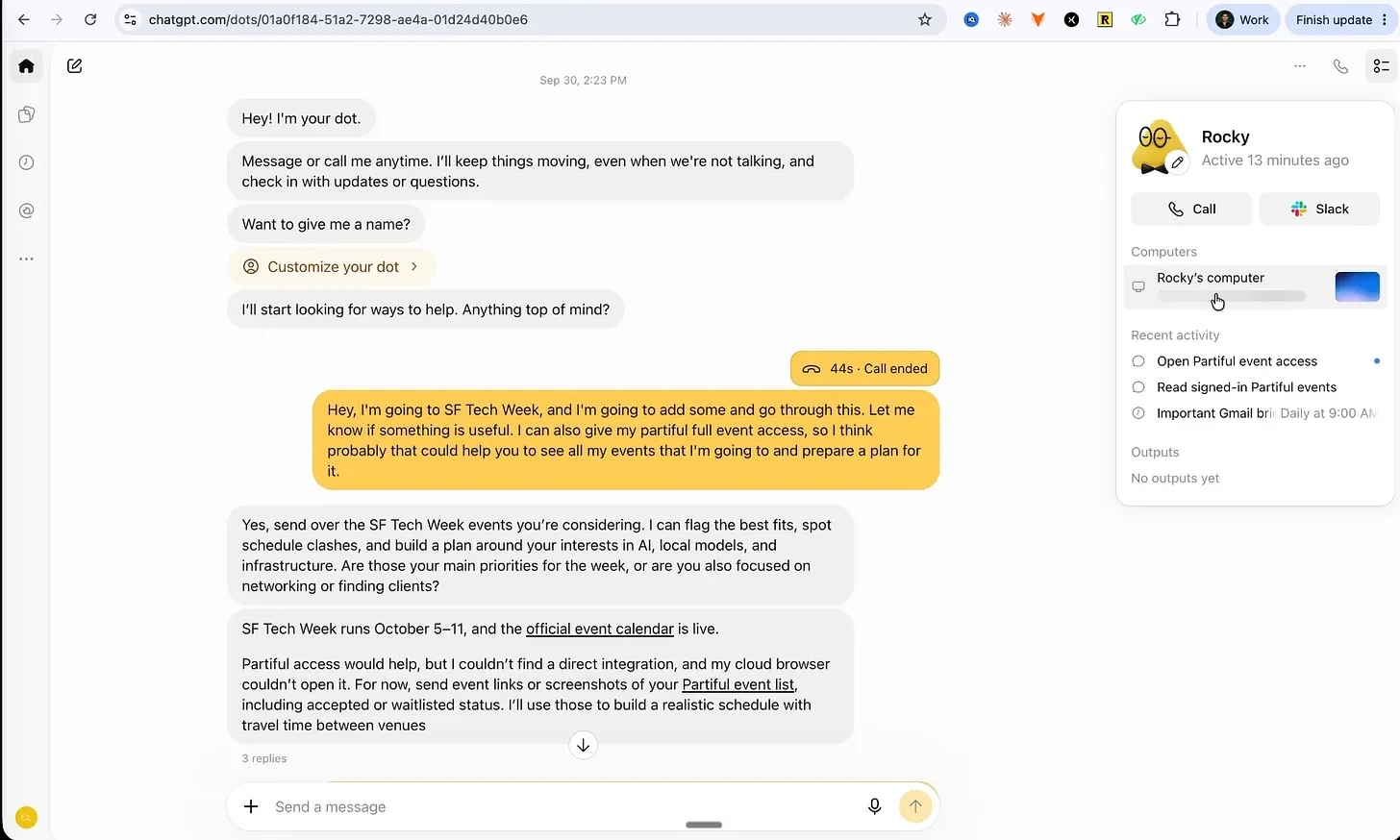
You can reach the same dot from ChatGPT on your phone, your laptop, apps like Slack and Microsoft Teams, or by calling it on the phone, and it remembers the same things no matter which way you reach it. It also connects to more than 4,000 other apps, the same system ChatGPT already uses for plugins.
But Dots isn’t the only AI agent like this. OpenClaw and Hermes have been around since last year. Grok Bot, Instinct, and Meta Muse were all launched more recently. Here’s what each one actually is:

Setting up a dot is quick. You give it a name, then pick a color and a small avatar or pet to represent it.

For now, your account only gets one dot, with no way to make several specialized ones yet. OpenAI has said multiple dots, and a “team of dots” working together, are planned for a future update.
Virtual computer vs. your own computer
By default, your dot runs on its own separate computer, cut off from your other devices until you connect something. Once you do, it can sign into apps you’ve linked to ChatGPT using saved login details, instead of you typing a password into the chat.
Calling your dot
One of dots’ standout features is that you can call it like a real phone call. Dial in, and the dot answers with a spoken summary of your email, flagging security alerts and payment deadlines, and confirming which automated tasks are still running.
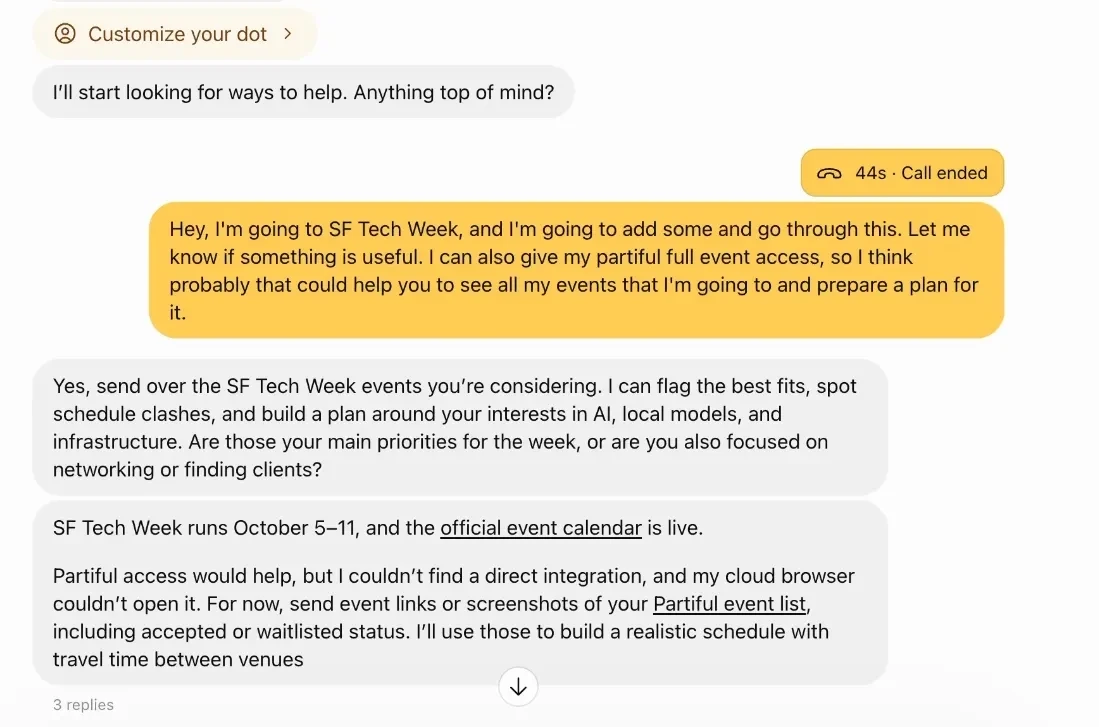
Ask it directly whether it’s actually checked your inbox, and it answers plainly, saying clearly when it hasn’t sent or deleted anything.
Guardrails: custom rules and approval
Giving an AI access to your email and other accounts needs limits, and OpenAI built a way to set them.
It, lets you decide whether a dot can act on its own, must check with you first, or can’t do something at all.
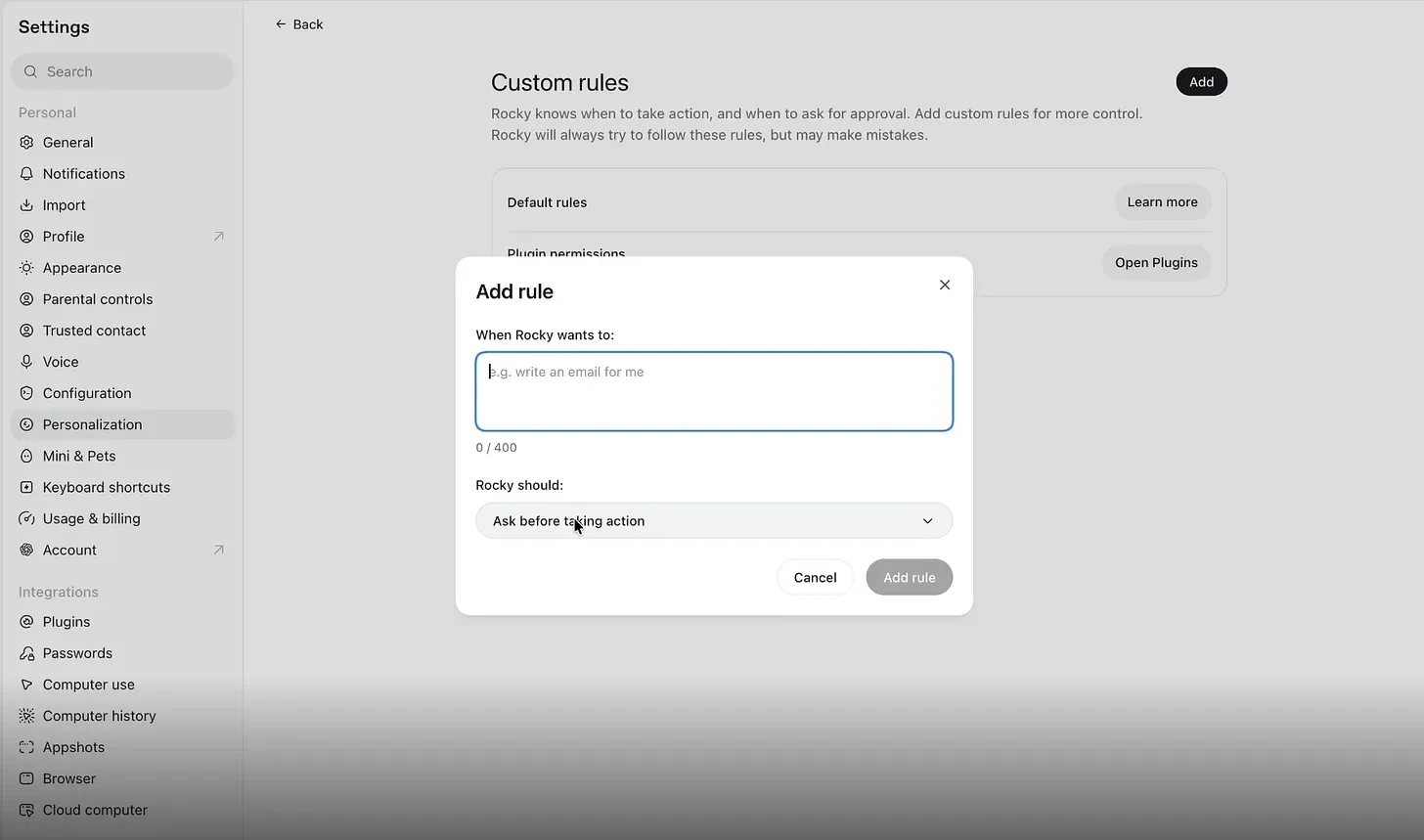
For example, if you set two rules, that never send or delete an email, and never cancel an event, without asking. The dot confirms each rule before applying it.
To test it, ask the dot to send a short email. Instead of sending it right away, the dot pauses and asks for permission first, proving the rule actually works rather than just being acknowledged.
A few things didn’t work perfectly in the first week, only one dot per account is allowed so far, the cloud computer wasn’t always available, and stopping it mid-call sometimes took a few seconds.
None of these are serious design problems; they’re the kind of issues a brand-new product usually works out quickly.
Would you try a dot over Meta Muse or Instinct today, or wait for it to improve first?
Check my Youtube masterclass to learn more: Link
Q1. What is OpenAI Dots?
Dots is a personal AI assistant that runs on a dedicated cloud computer and can continue working on tasks after you close your laptop.
Q2. How does Dots work in the background?
A dot runs continuously on its own virtual computer, allowing it to check tasks, follow instructions, and act without requiring you to keep the ChatGPT window open.
Q3. What apps can Dots connect to?
Dots can connect with ChatGPT, Slack, Microsoft Teams, and more than 4,000 other apps, allowing it to work across different services.
Q4. Can Dots perform actions without approval?
Yes, but users can create custom rules that determine which actions Dots can perform automatically, which require approval, and which are completely blocked.
Q5. Can I create multiple Dots?
Currently, each account can have only one dot. OpenAI has indicated that multiple dots and teams of dots working together are planned for future updates.