

Key Takeaways
Most AI agents reset every session; Hermes uses persistent memory to learn your preferences, workflows, and working style over time.
Skills, toolsets, and profiles let Hermes specialize, use tools, and perform actions without rebuilding context for every task.
Local control keeps data on your machine while giving you control over memory, models, skills, tools, and agent behavior.
You must have seen it. Someone posts their agent setup on Twitter, gets 3,000 likes, and three weeks later they’re back to just using ChatGPT like everyone else.
It’s not because they built it wrong. It is because the agent didn’t know them. Every session started from zero. Same context, same re-explaining, same generic outputs. After a week of that, the novelty wears off and you go back to what’s familiar.
The agent wasn’t growing with them. It was just running. Don’t get to the numbers directly
Hermes was built to solve exactly that. The core idea is stated right on their page that it’s an agent that grows with you. Every conversation you have, it updates its memory. With every interaction it gets sharper on who you are, how you think, what you prefer, how you want research done.
Before Hermes Desktop was launched, my team was running Hermes locally and on a VPS, using Telegram as the interface. And honestly, it worked. You’d tell it your requirements for an Amazon purchase and it would go research, compare, come back with a real answer.
But it wasn’t something you’d want to use every day. You had to pipe everything through Telegram, it wasn’t efficient, and it was hard to communicate with cleanly. Worse, since nobody creates multiple sessions in Telegram, everything piled into one chat
People want a proper UI where they feel in control. That’s exactly why Hermes Desktop came out.
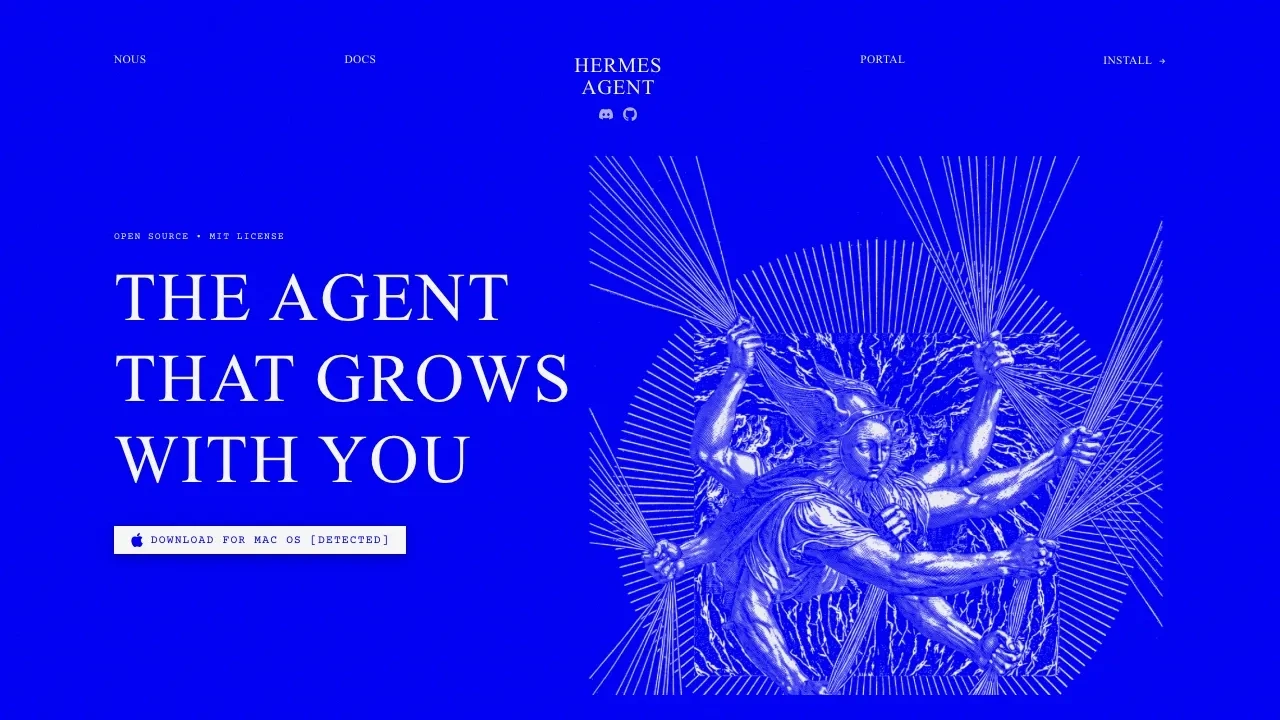
Download page, Mac, Windows, Linux. Everything runs locally. Your data stays on your machine.
Hermes Desktop is available for Mac, Windows, and Linux. Once you download and install it, everything runs locally - your data isn’t going anywhere. You connect it to a model to make it run. Hermes has their own, but you can also use OpenRouter or several free APIs.
For my setup, I used OpenAI Codex, (the $20 plan). Anthropic’s Claude subscription wasn’t used because Anthropic is strict about using their subscription for these kinds of agents. Agentic usage is subsidized and requires a lot of tokens. OpenAI is more open to it, which is why Codex was the choice here.
Worth noting, Claude does have memory, it keeps improving, and Claude Code and Cowork are genuinely agentic. They can interact with local files too. But Hermes gives more control. You control the conversations, the skills being stored, the search happening from your local environment.
And speaking of skills, this is where Hermes starts to feel genuinely different from anything else I’ve used.
A skill is a reusable prompt that makes the agent behave like a specialist in a specific area (you must have seen it used in Claude!). Hermes ships with 83 by default. I have added custom ones for content writing, and our brand voice. When I ask it to draft a post, it already knows our tone, our format, our audience. I don’t explain every time.
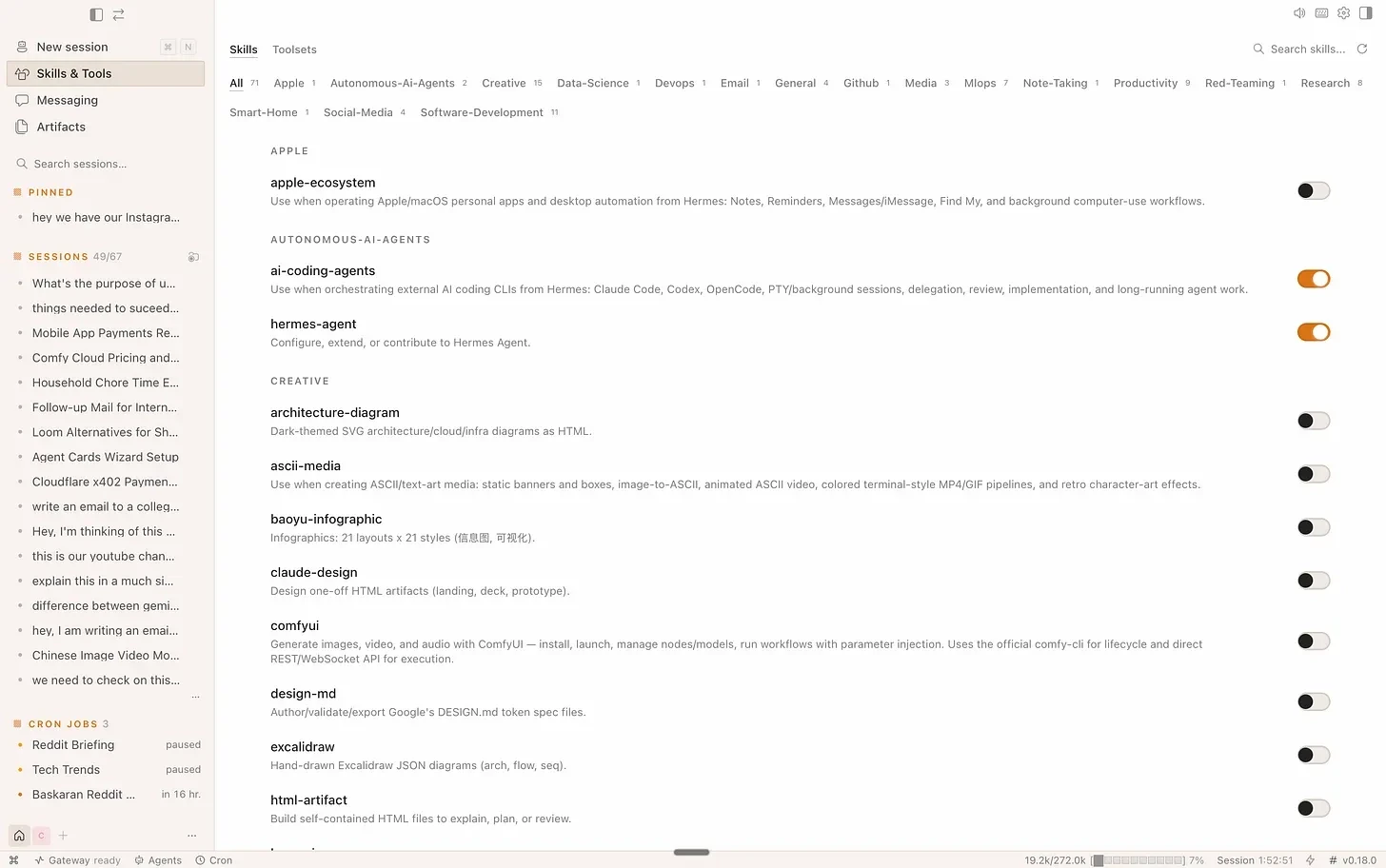
Skills library, categories across the top, individual toggles per skill. Only 2 are ON here. Everything else is off.
One rule though, don’t enable all 83. Every active skill’s title and description gets loaded into every prompt you send. It’s not a massive cost but it clutters the model’s attention. Only switch on what you’ll actually use. If you haven’t touched a skill in three days, turn it off.
But skills alone aren’t enough. Skills make the agent smarter. Toolsets make it actually do things, web search, browser automation, computer use, cron jobs, task planning, image generation, video analysis, file operations.

Toolsets tab, 20/27 enabled. Cron Jobs, Computer Use (macOS), Browser Automation, Code Execution, all live.
Tools make it capable of doing things on your behalf instead of just saying things. That’s the difference between a model and an agent.
And then there’s profile, a completely separate agent configuration, its own model, its own system prompt, its own persona, its own skill set and its own behaviour.
I have one profile running Claude specifically for brainstorming. I go there only when I want to think (different model, different context, different output style entirely). My research profile has web search maxed out and a tighter system prompt. My content profile has all our brand skills loaded.
You can’t do this cleanly with Codex, Claude Code, or most other tools by default. You’re always using one version of the same thing. Profiles give you specialisation without rebuilding context every time you switch tasks.
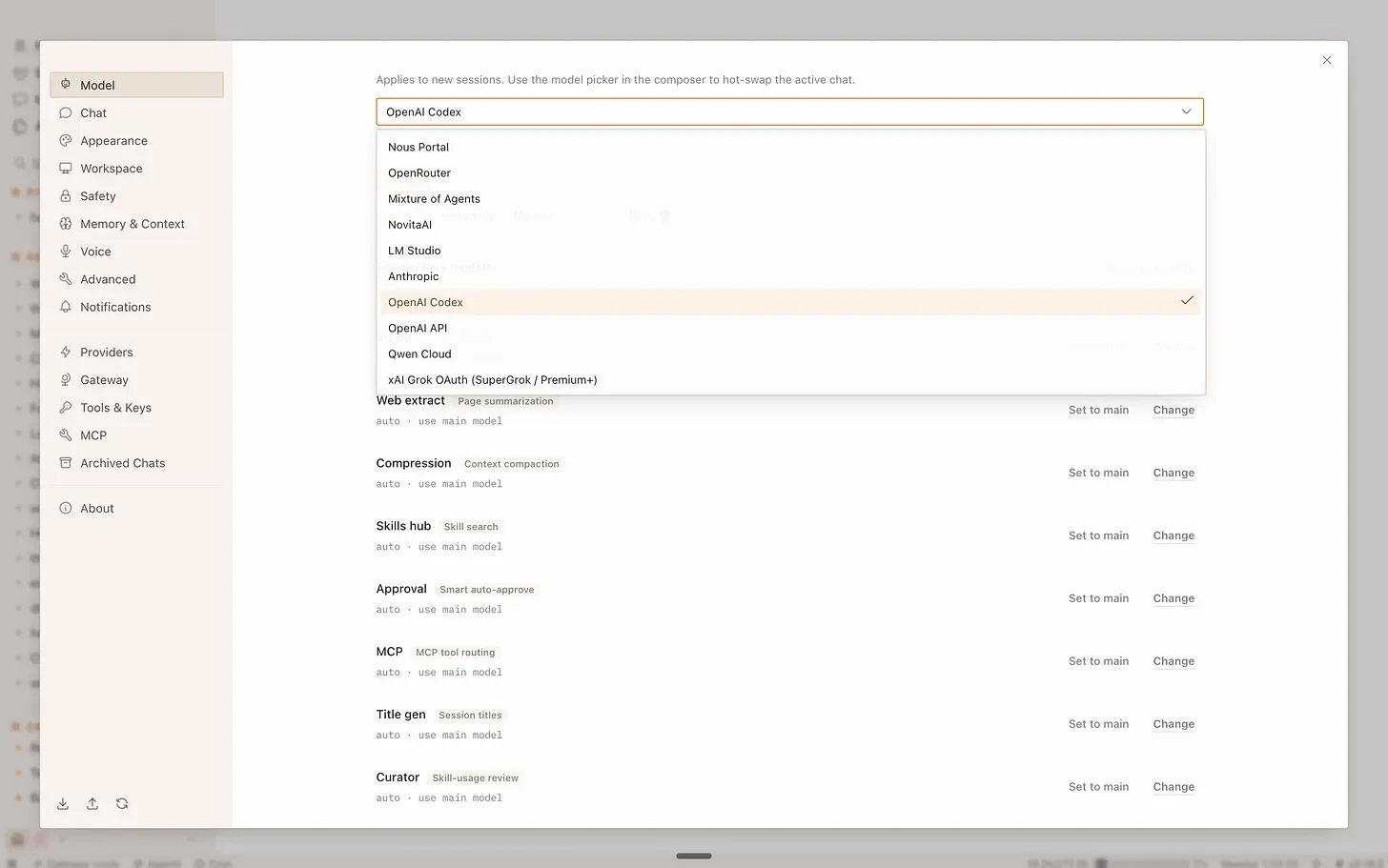
The model picker, every major provider in one dropdown. Auxiliary tasks (Vision, Web extract, Skills hub) can run on a different model from your main.
One thing to know before you set up Hermes Desktop - it has full local access to your machine. It understands your file structure, works with local documents, automates things that would otherwise need manual effort. But one badly worded instruction can become a problem. Be deliberate about what you ask it to touch. If that makes you uncomfortable, run it from a server via the remote gateway instead. Local means data never leaves your machine but cron jobs only fire when your laptop is open. Remote means always-on but data lives on the server. Pick based on your use case.
The real value here isn’t any single feature. It’s that you can finally see the whole stack, memory, skills, tools, schedules, models, and control all of it. Claude and ChatGPT aren’t bad. But Hermes puts you in charge of how the agent runs, what it knows, and what it does on your behalf.
Most agent setups don’t survive the first week because the agent never learned who the user was. With Hermes, that’s the whole point. It’s not just running tasks. It’s building a picture of you, every single day.
Download Hermes Desktop. Set up one clean session. Enable only the skills you’ll use this week. Run one cron job. See what comes back.
Q1. What is Hermes Desktop?
Hermes Desktop is a customizable AI agent that combines persistent memory, skills, tools, profiles, and local computer access.
Q2. How does Hermes Desktop remember users?
It maintains persistent memory across conversations, allowing it to learn preferences, workflows, and how users like tasks handled.
Q3. What are skills in Hermes Desktop?
Skills are reusable instructions that make the agent behave like a specialist for tasks such as research, coding, or content creation.
Q4. What tools can Hermes Desktop use?
It can use web search, browser automation, computer use, code execution, cron jobs, file operations, image generation, and other tools.
Q5. Is Hermes Desktop safe to run locally?
Local execution gives users more control over their data, but because Hermes can access files and perform actions on the computer, permissions and instructions should be handled carefully.