
Key Takeaways
Grok Bot gives AI agents cloud computers to perform tasks autonomously.
Agents can connect to services, follow schedules, learn tasks, and collaborate with other agents.
It shifts AI from simple chatbots to connected, specialized workers that automate workflows, while requiring careful control over permissions, credentials, and access.
Three weeks ago, xAI dropped Grok Bot in beta. It came from the same OpenClaw and Hermes line of personal agents, but there was one thing that made this version stand out to me, “every agent gets its own computer”.
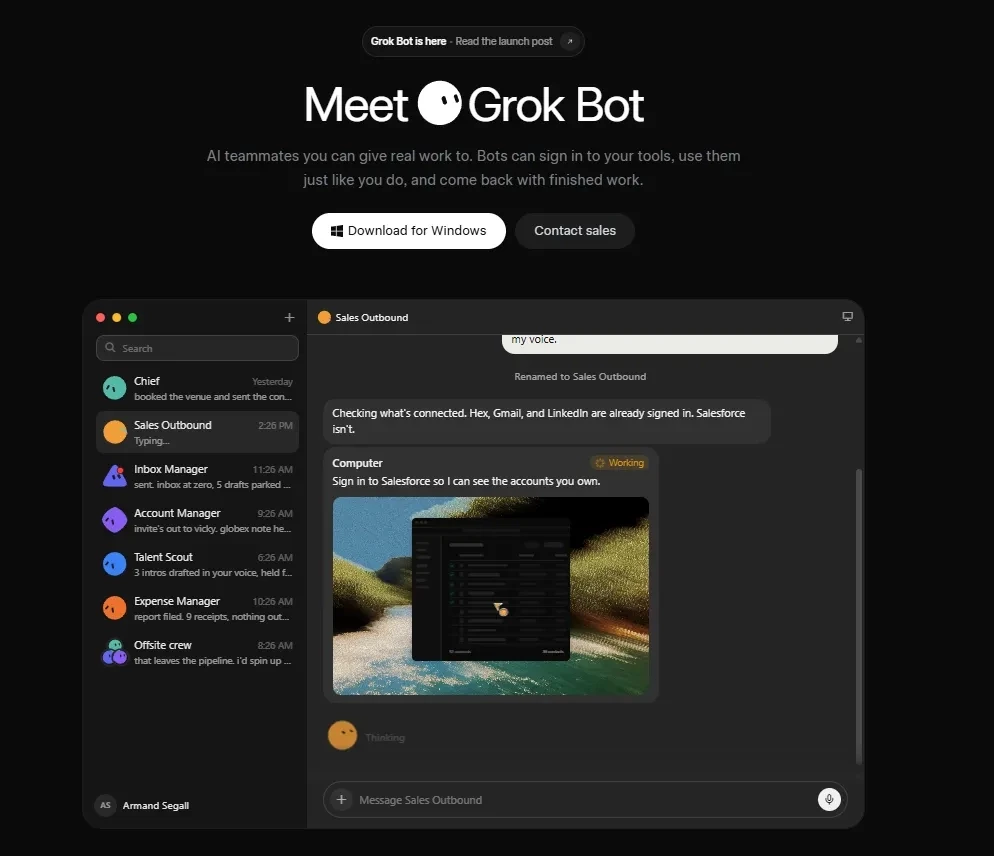
Not a virtual chat box. An actual computer sitting in the cloud, with a browser, files and a terminal. So you can give the bot a task, close your laptop and leave. The computer keeps running and the bot keeps working. It only comes back to you when it needs you to approve something.
That makes a big difference. An AI sitting inside a chat can tell you how to do something. An AI sitting on a computer can actually go and do it.
You can use Grok Bot from a desktop app on Mac, Windows and Linux, and there are mobile apps for iOS and Android too. The interface is pretty simple. Your bots are on the left, the chat is in the middle and the details of each run are on the right. You really don’t need to understand much before making your first one.
One thing to know before you get too excited, there isn’t a free tier. Access comes through SuperGrok Heavy or Cursor plans, so you’re paying from the start.
So I tried Grok Bot and a few hours later, I had an email bot, an SEO bot, event bots, a few people from CloseFuture ( my AI product Studio) sitting in a virtual meeting, and three different groups of agents talking to each other.
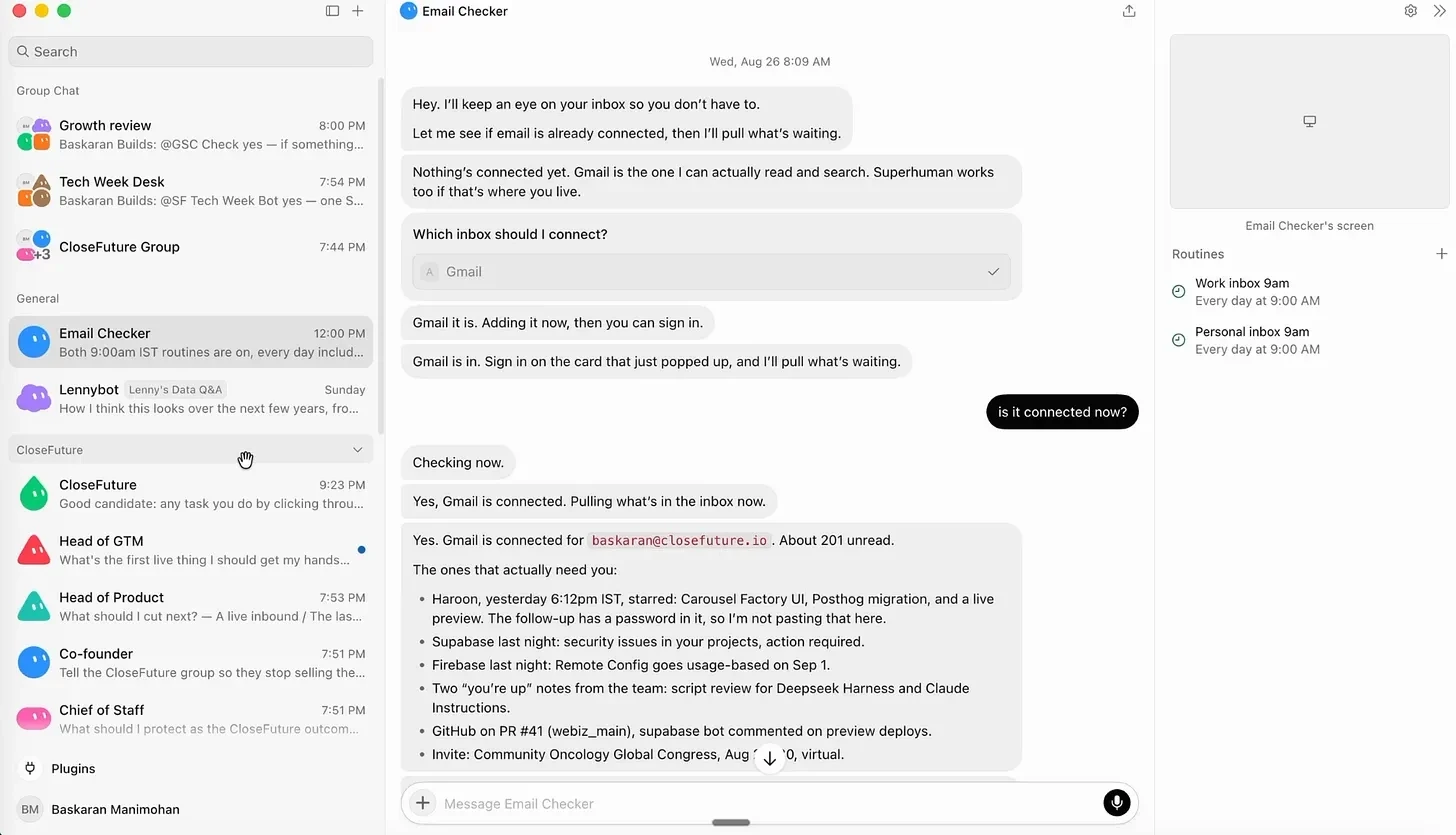
The first thing I built was an email bot. I connected two Gmail accounts, one personal and one company account. The Gmail connector gave me 31 separate tools, and I could turn each one on or off. Read was on. Draft was on. Send was off. I actually liked this setup.
You don’t just give the agent “Gmail access”. You also decide what it can and will do. Every morning at 9am, the bot checks the inbox and sends me the insights, emails which need a reply and emails that have been sitting there for too long.

Then I started making a bot that watches Google Search Console across four accounts and five websites. Every morning it reports clicks, impressions and which sites have moved. I wanted the whole team to see it, so I connected it to my internal content tool through Supabase.
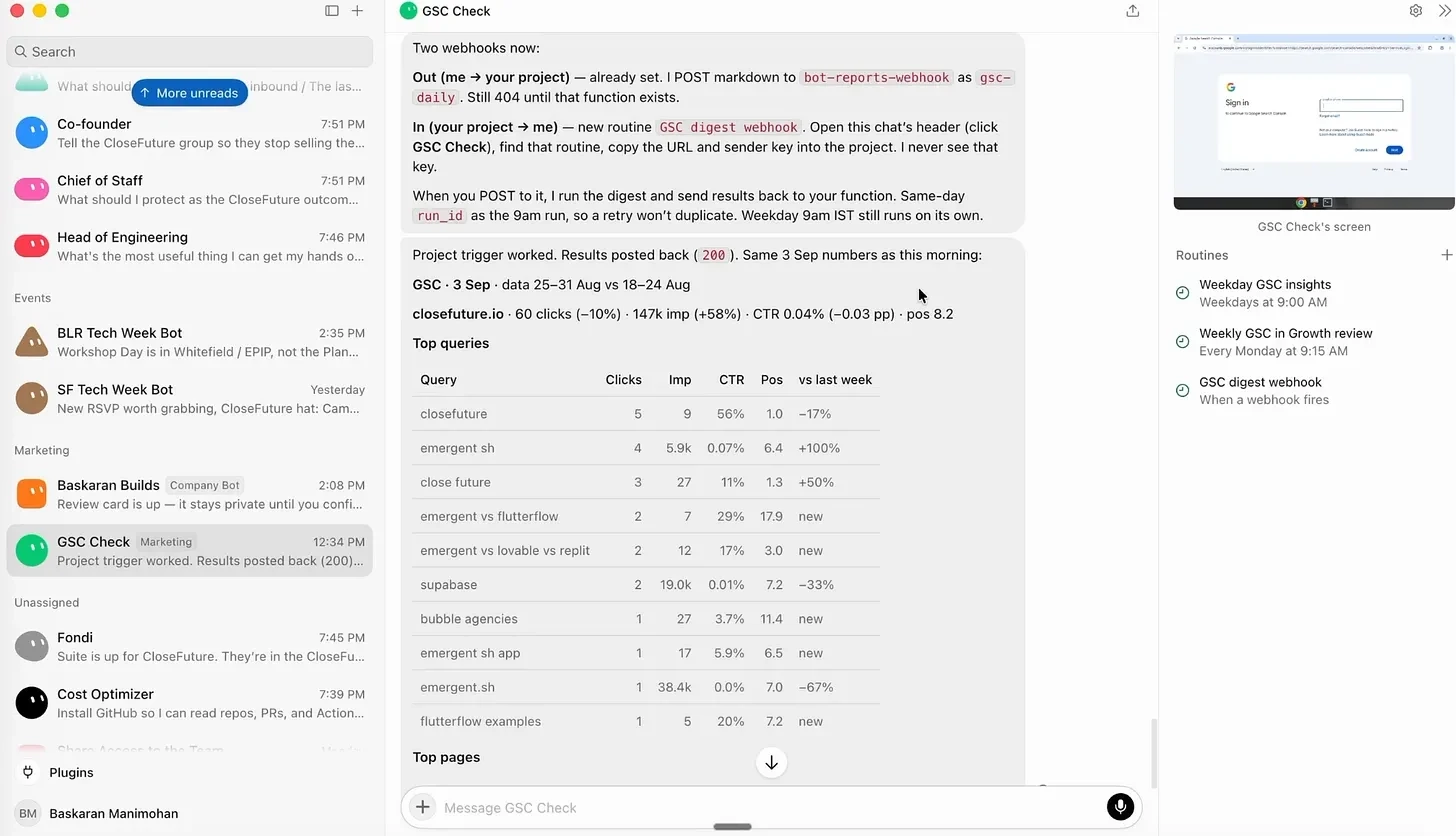
That setup also made me stop and think about security. The bot initially wanted full access to my personal email on its cloud computer. I wasn’t comfortable giving it that, so I asked if there was another way. It suggested creating a Google Cloud project and giving it only the required access. I never handed over the personal email credentials.
That made the rule pretty simple for me, anything highly sensitive stays off the machine. For everything else, ask the bot whether there is a safer way to connect it.
Then I found the Lenny bot.
Lenny had turned his podcast archive into an MCP and released it as a template. One click and you have a bot that can answer product and hiring questions using years of founder interviews. I liked this because it isn’t just another chatbot with a huge context window. Someone had packaged a particular body of knowledge into something you can refer to.
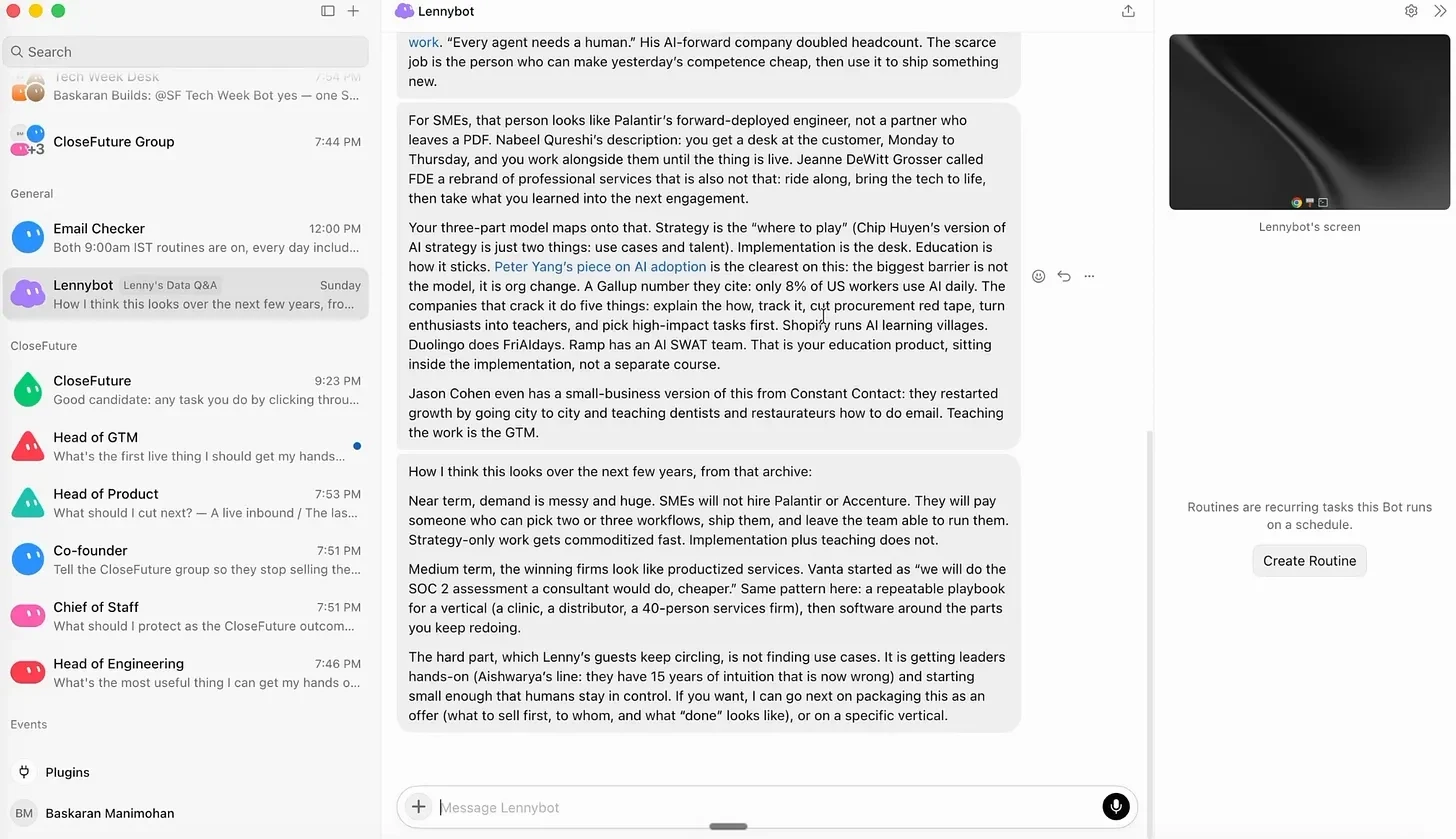
Inside CloseFuture, the setup got even more interesting. CloseFuture is an AI implementation company where we work with businesses to understand their processes and build agents around them. Inside the account, I already had three agents working with each other and one of them watching the calendar and keeping track of what needs doing.
At this point Grok Bot started feeling less like an app where I had made a few bots and more like I was slowly building a small company inside it.
The event bots were another rabbit hole.
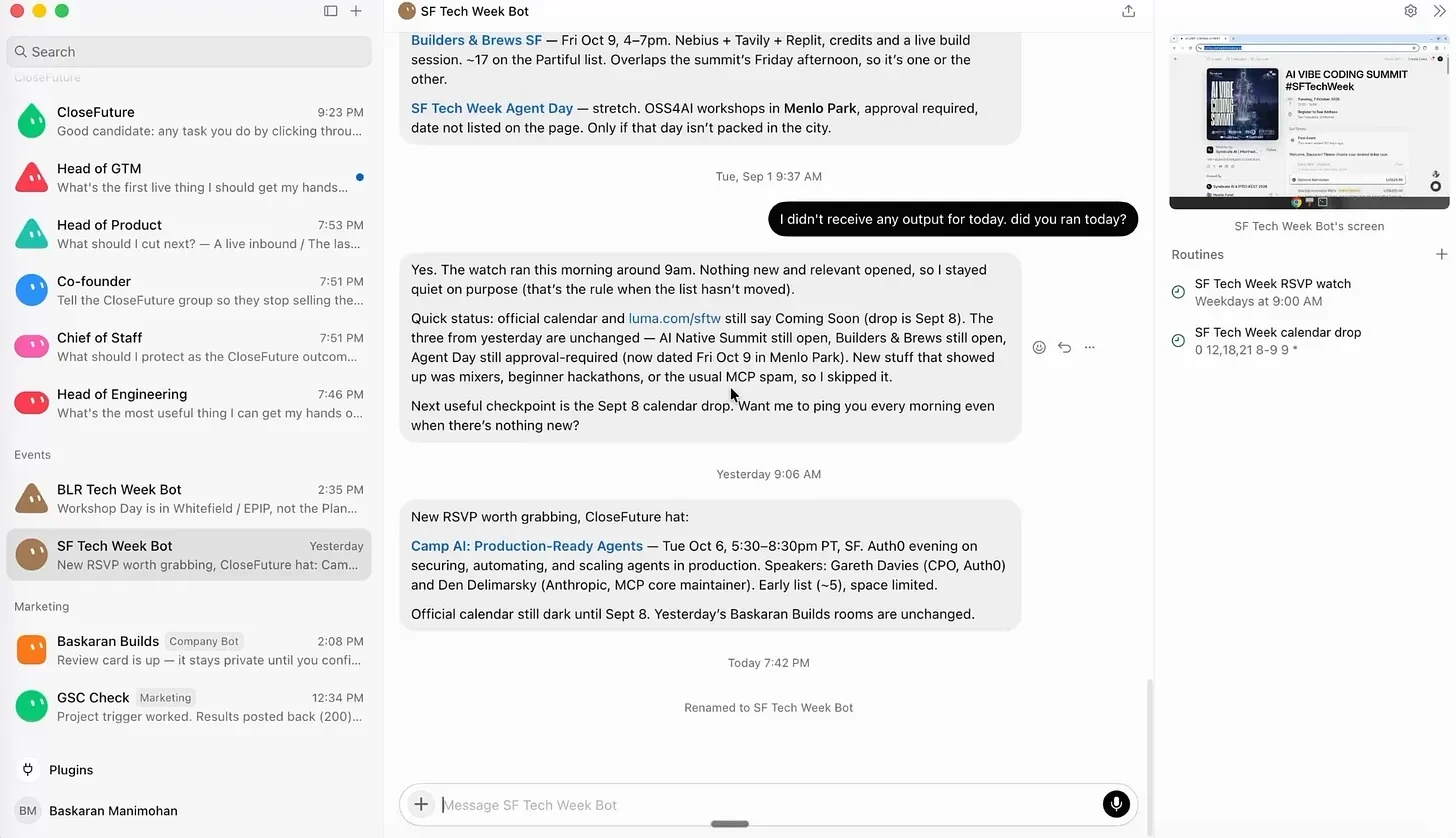
I also made two bots for Tech Week. The San Francisco bot checks every day for new events so I can find them and RSVP before the popular ones fill up. The Bangalore bot is connected to Luma, so it knows which events I got into and can plan them into an itinerary. At one point, it knew my first event the next morning was an agent security workshop at 9am, had the address and was checking the map.
And that was when I started wondering what if these bots stop working alone?
Grok Bot lets you put them in a group chat.
I tried it with Lenny, Events and Content bots. All of them were actually discussing the problem instead of giving me three unrelated answers.But I wouldn’t put five bots together for everything, though. Three or four feels like the point where you can still follow the conversation. After that it starts to feel like a meeting where everyone keeps interrupting.
And if I don’t know which bots should be in a room together, I can ask one of the bots. It can see the other bots and suggest a combination. Then I tried building an agent from scratch.
The example was Granola. It already gives me meeting notes, but that isn’t really the problem. The problem is remembering what I was supposed to do afterwards.

So I made a new bot and described the task to connect Granola, pull the previous day’s meetings, find the notes and next steps, and send them to me at 9am every day.
It found the Granola connector, asked me to add it and opened the browser for authentication. I changed the schedule from weekdays to every day because meetings don’t care whether it’s Saturday.
Grok Bot also has a “Teach a Task” feature. Instead of explaining a process step by step, you open the bot’s cloud computer, start recording and do the task yourself. When you stop, the agent interprets what you did and turns it into a reusable skill.
I tried that too.
The Chrome demo hit a CAPTCHA inside the cloud environment, so that run didn’t finish and I couldn’t claim that I personally saw the whole thing work. But the mechanism is there, and it has worked for other bots. The idea here is pretty intriguing, teach the computer with a long written instruction, show it once.
Then I started looking beyond schedules. Routines can run hourly, daily, weekly or at custom times. But a bot can also be triggered by something else. My Google Search console bot has a webhook. It gives me a URL and a key, and the Run Now button in my content tool calls that URL. The bot runs and the result comes back into the app.
That makes the bot feel less like something living inside Grok Bot and more like something I can plug into other software.
The sharing side is interesting too.
Any bot I build can be turned into a template. Lenny did exactly that with his bot, shared it publicly, and suddenly someone else can open it with one click. There are already community directories like grokbots.page and grokbot.dev where people can browse what others have built, see the source and open a bot directly in Grok Bot.
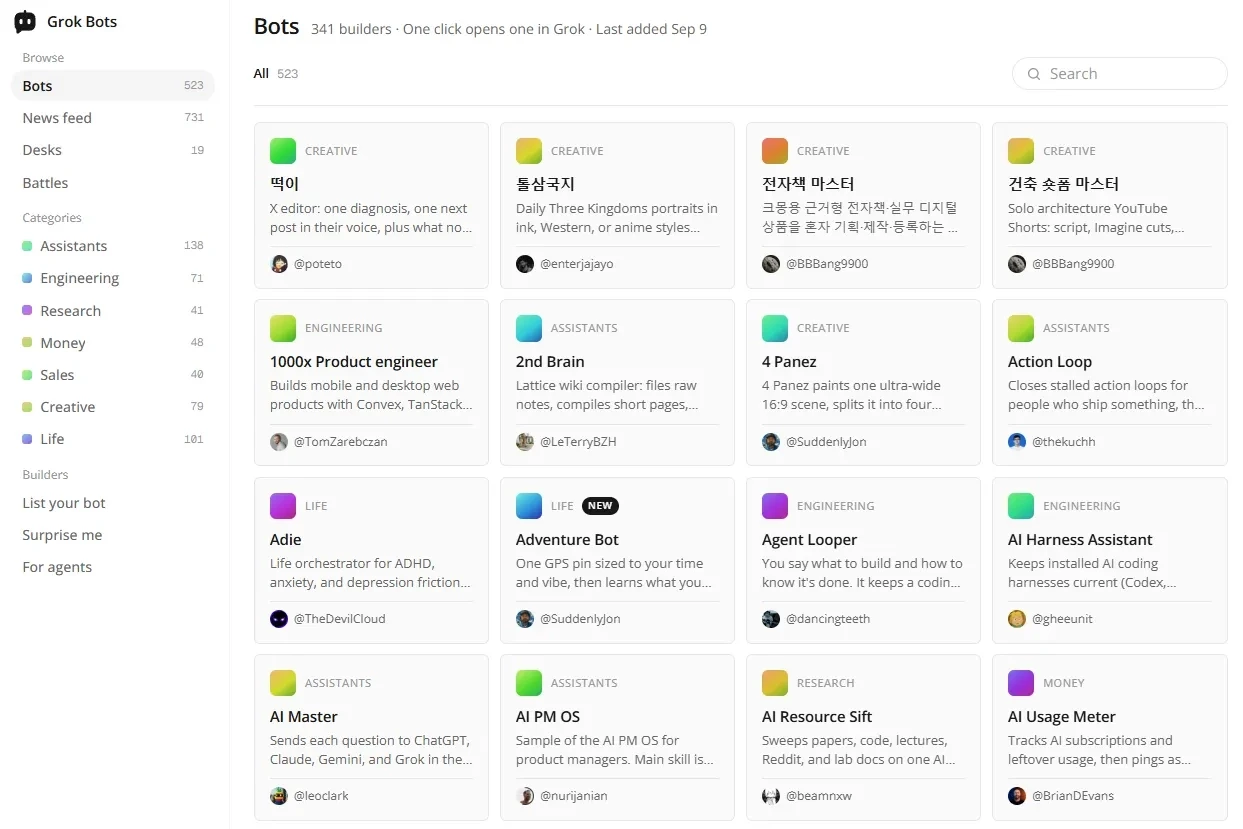
I would still be careful there. You have no idea what permissions a bot someone else built is asking for until you look.
Going through Grok Bot, the fun part hasn’t been really making or using another AI bot (or template). It was realising how many small things I do every day that don’t actually need me.
I started by asking, “What can I build?”
A few hours later, I was asking:
“What am I still doing myself that I could hand to one of these?”
I recorded the whole process in a YouTube masterclass, from setting up the first bot to getting multiple agents to work together, including what worked, what didn’t, and the things I learned along the way.
Watch the full masterclass → Youtube
Q1. What is Grok Bot?
Grok Bot is an AI agent platform that gives agents cloud computers, allowing them to browse, use files, run tools, and perform tasks autonomously.
Q2. What can Grok Bot agents do?
Agents can automate tasks such as email management, SEO monitoring, event planning, meeting follow-ups, web research, and other repetitive workflows.
Q3. Can multiple Grok Bot agents work together?
Yes. Grok Bot allows agents to collaborate in group chats, enabling specialized bots to discuss tasks and combine their capabilities.
Q4. Can Grok Bot agents run tasks automatically?
Yes. Agents can run on schedules, such as daily or hourly routines, or be triggered through webhooks connected to external applications.
Q5. Is Grok Bot safe to use with personal data?
Grok Bot can access connected services and cloud computers, so users should carefully manage permissions and avoid giving agents unnecessary access to sensitive credentials or information.